How it Works
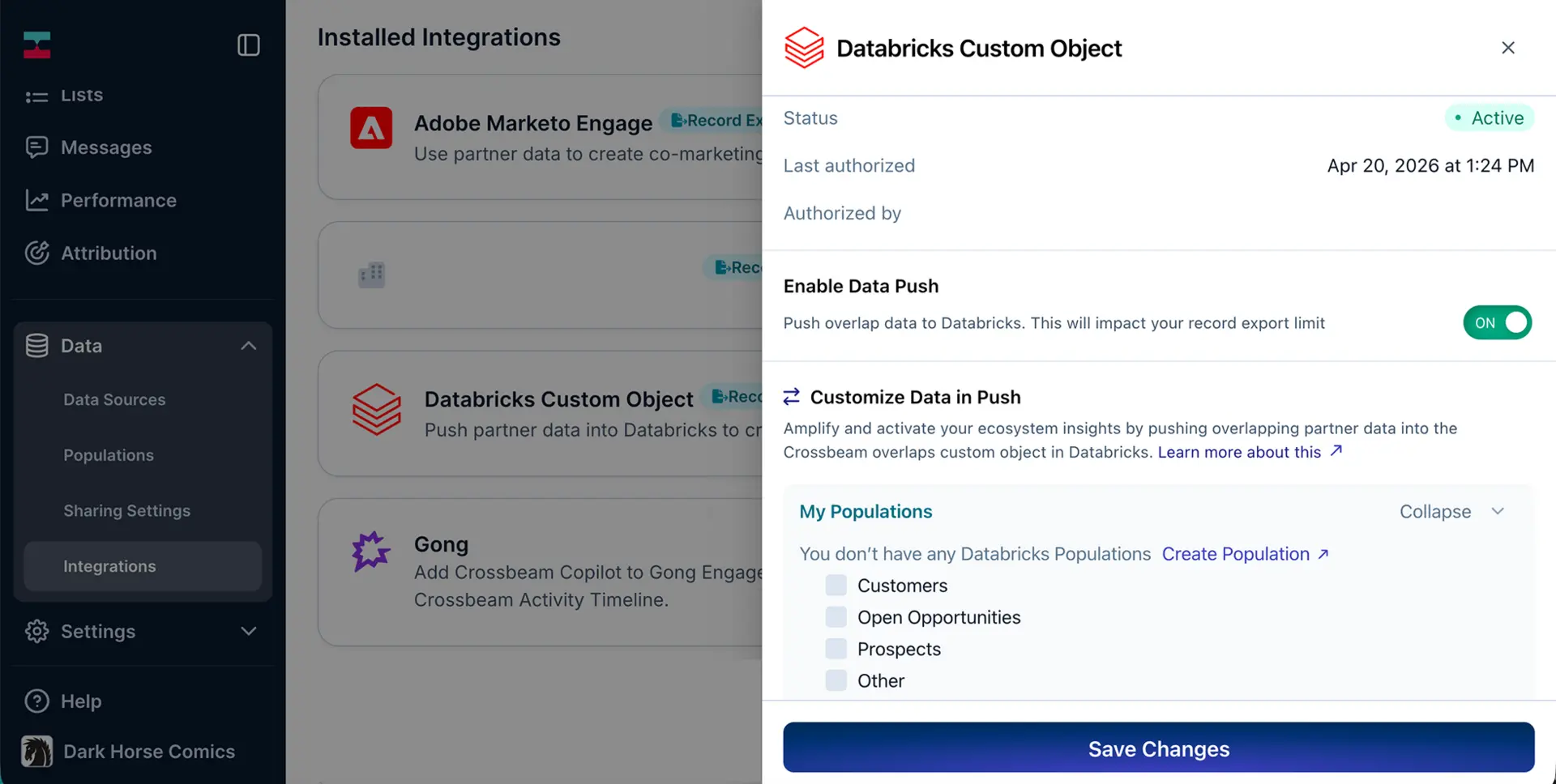
Push the partner overlap data generated from account mapping back into your Databricks workspace, including:
- Match results between your accounts and a partner’s accounts
- Identifiers to connect those matches back to your internal data (your population details)
- Partner details (like company name and domain)
- Shared partner contact info (if enabled)
- Timestamps and updates so the data stays current over time
Why teams choose Databricks
Account mapping with partners generates valuable insights that should live where the rest of your data does. Enrich your existing account and pipeline data in Databricks with ecosystem context based on overlapping accounts with partners via Crossbeam.
Setup Instructions
1. Create the catalog and schema (Crossbeam adds the table itself)
CREATE CATALOG IF NOT EXISTS crossbeam_push;
CREATE SCHEMA IF NOT EXISTS crossbeam_push.overlaps;
2. Give Crossbeam permission to write (swap in your Service Principal name)
GRANT USE CATALOG ON CATALOG crossbeam_push TO `crossbeam-sp`;
GRANT USE SCHEMA, CREATE TABLE ON SCHEMA crossbeam_push.overlaps TO `crossbeam-sp`;
GRANT MODIFY, SELECT ON SCHEMA crossbeam_push.overlaps TO `crossbeam-sp`;
3. Turn it on in Crossbeam: Integrations → Databricks Push → Enable. Fill in the connection fields (hostname, HTTP path, catalog, schema, Client ID, Client Secret) and click Enable.
Gallery & Videos
Reviews
FAQ
Pushing account mapping data from Crossbeam into Databricks via this integration requires a Supernode or Enterprise plan. Using Databricks as a data source to bring account data into Crossbeam for account mapping is available on all plans. Learn more about using Databricks as a Crossbeam data source in our help documentation.
- A Supernode or Enterprise Crossbeam plan, Databricks workspace with Unity Catalog enabled, a SQL Warehouse, and a Service Principal with an OAuth client secret. Learn more about setting up the integration in our help documentation.
Yes. You can write overlap data to the same catalog and schema you use for the Sync integration, or set up a separate one. The schema just needs to exist before you enable push, and Crossbeam will create the overlaps table for you.